A sample Mac: full in about five and a half days at today's rate.
Find out what is filling your Mac before it fills up.
Gigahog maps every folder on your disk as a sunburst, tells you what deleting each one would really free, names what grew overnight, and warns you before you run out of space.
Free for 14 days. macOS 14 Sonoma or later, Apple silicon.
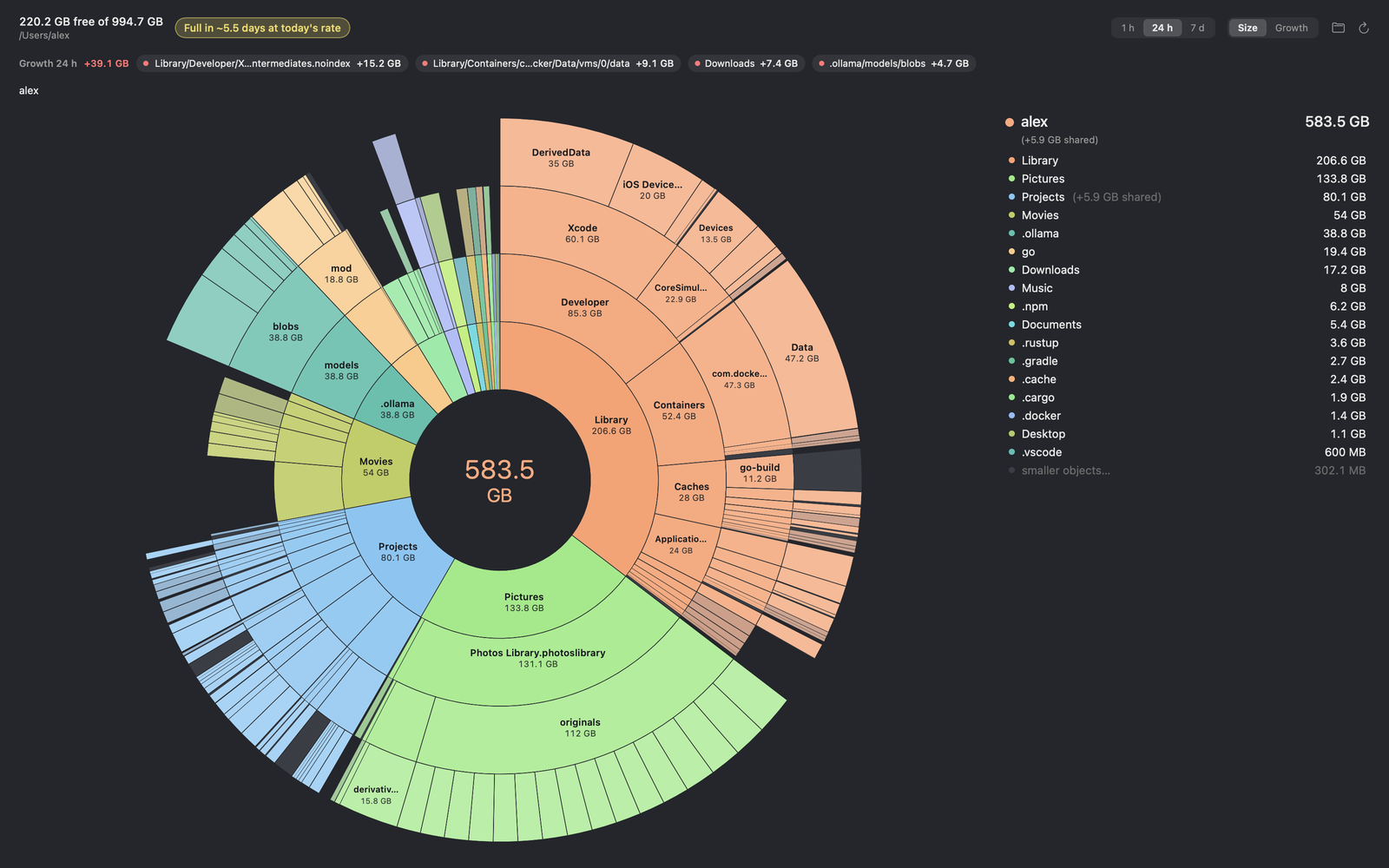
Three honest sizes for every folder.
On APFS, copies of a file are often clones that share the same blocks on disk. That is why Finder,du and Storage settings disagree, and why deleting a "10 GB" folder can free far less. Gigahog keeps three numbers apart.
- AttributedEach block on disk counted once
- Shared blocks are charged to one owner, so folders add up to the space actually in use. This is what the sunburst draws.
- NaiveWhat
duwould say - Every copy counts in full. Useful for comparing with other tools, but clones are counted twice, so never add these up.
- ExclusiveWhat deleting it frees
- Only the blocks nothing else uses. Before you delete a folder, this is the number that matters.
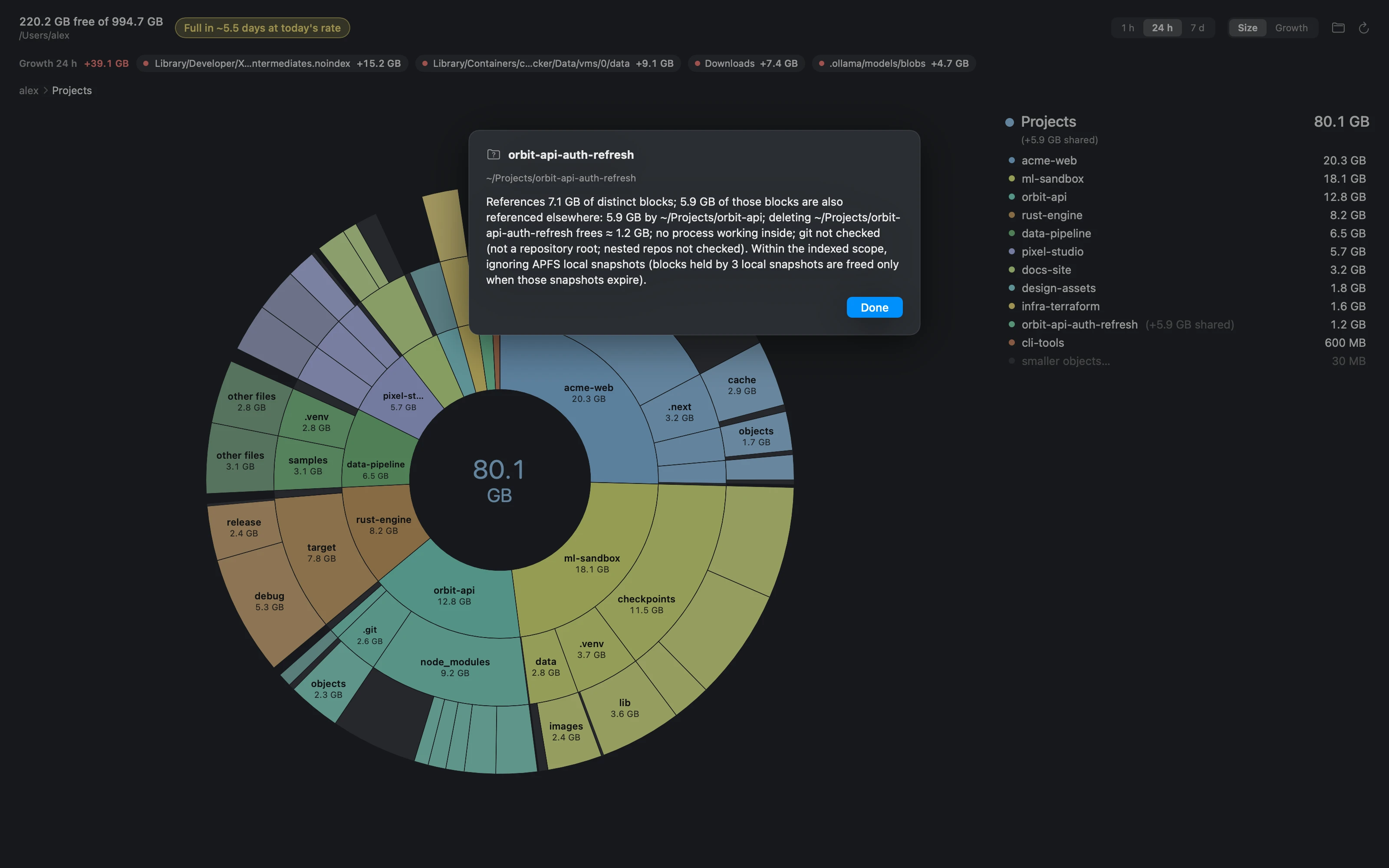
Ask why a folder is that big.
Explain looks at a folder's blocks and tells you who else uses them. Here, a project's working copy references 7.1 GB, but 5.9 GB of that is shared with the main checkout it was cloned from. Deleting it frees about 1.2 GB, not 7.1.
Before you decide, it also shows unpushed or local-only commits, stashes, and apps still working inside it.
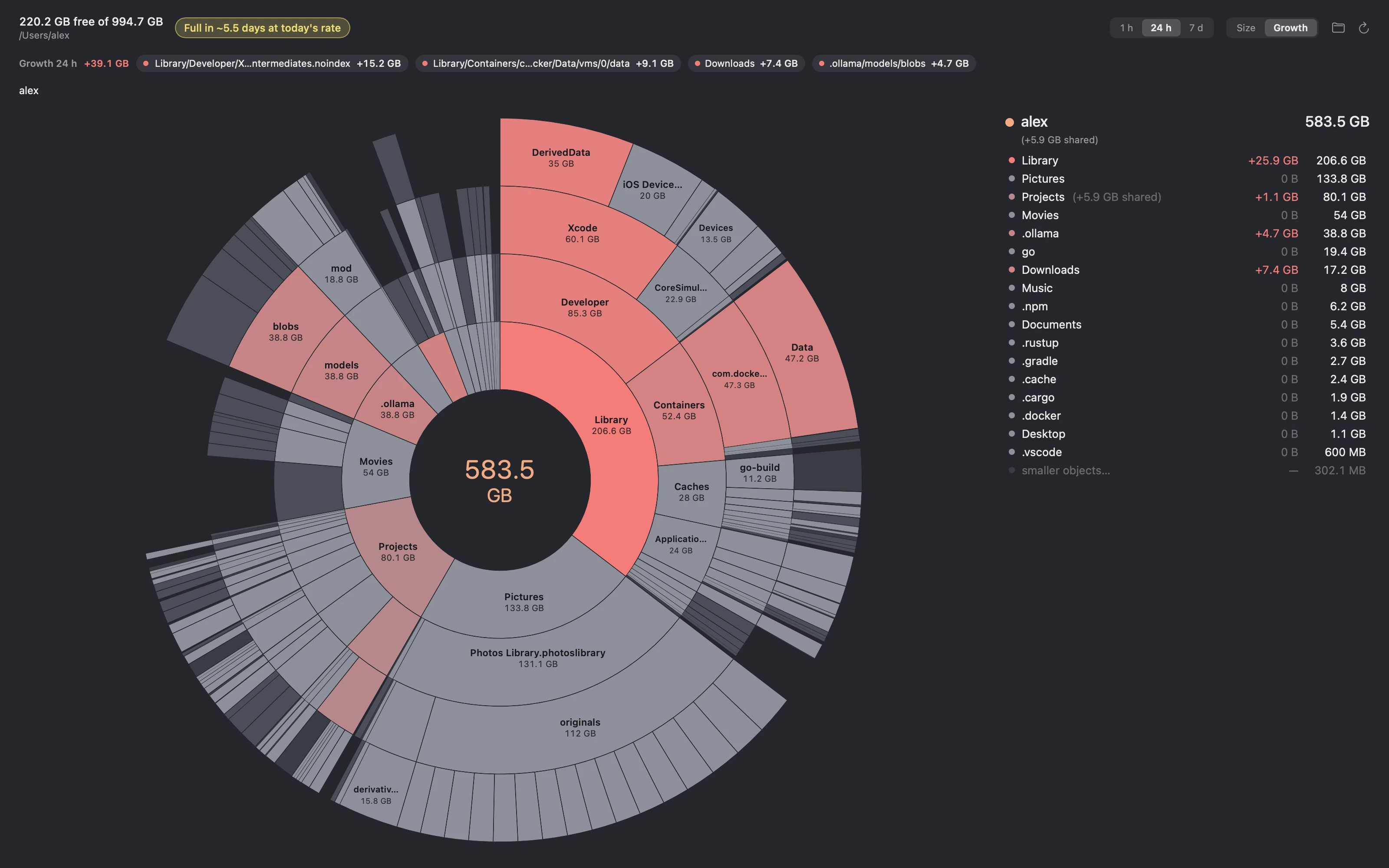
See what grew, and when you will run out.
A small background agent samples free space every five minutes and rescans your folders every few hours. It forecasts when the disk will be full and warns you while there is still time to act. Growth view colours every folder that grew, and names the culprits.
- Xcode build intermediates grew 15.2 GB since yesterday.
- A Docker virtual disk grew 9.1 GB.
- Downloads grew 7.4 GB, Ollama models 4.7 GB.
A folder you move within a scanned folder is not counted as growth.
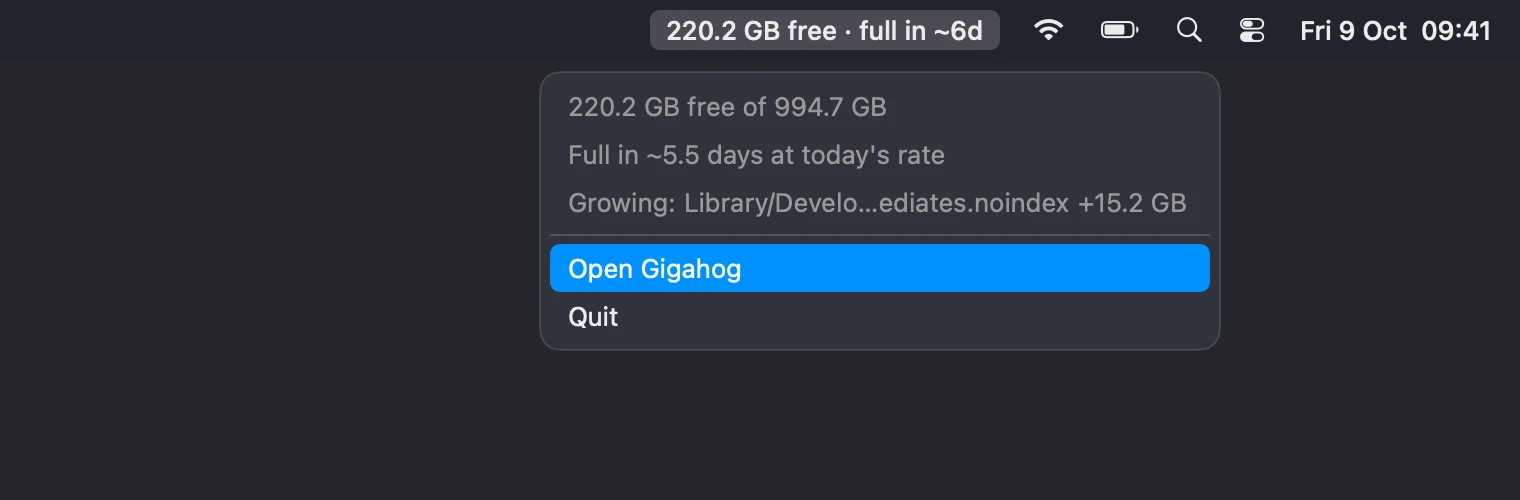
Always one glance away.
The menu bar shows free space and the forecast, so a filling disk never takes you by surprise in the middle of a build.
What "System Data" really is.
Storage settings files anything it can't categorise as System Data: developer caches, Docker and VM disks, model downloads, local Time Machine snapshots. Gigahog shows those bytes where they live, by folder, and its ledger reports how much of the space in use falls outside the folders it scanned, so nothing is left unexplained.
Built for your terminal and your agents too.
The same index answers from the command line in milliseconds. Every command has a stable JSON form, so scripts and AI coding agents can check disk space before a large build and know what is safe to clear.
alex@studio ~ % gigahog status
Disk (APFS container, statfs): 718.4 GiB used of 926.4 GiB, 205.1 GiB available; full in ~5.5 days, reserve reached in ~4.3 days (bursty confidence); indexes explain 77% of Data in use
Ledger: Data volume 708.2 GiB in use (CapacityInUse; the container also holds System, VM and other volumes) = 543.5 GiB attributed + 156.0 KiB Gigahog index + 164.7 GiB unaccounted
Indexes: /Users/alex (38m0s old)
Growth (24h): +36.4 GiB; ~/Library/Developer/Xcode/DerivedData/PixelStudio-vzgoekcgvurozhdovzviikjrmmpu/Build/Intermediates.noindex +14.2 GiB, ~/Library/Containers/com.docker.docker/Data/vms/0/data +8.5 GiB, ~/Downloads +6.9 GiB, ~/.ollama/models/blobs +4.4 GiB (details: gigahog growth --base 24h)
Largest (attributed / exclusive):
   192.4 GiB  192.4 GiB  /Users/alex/Library
   104.3 GiB  104.3 GiB  /Users/alex/Pictures/Photos Library.photoslibrary/originals
    74.6 GiB   74.6 GiB  /Users/alex/Projects
    50.3 GiB   50.3 GiB  /Users/alex/Movies
    36.2 GiB   36.2 GiB  /Users/alex/.ollama/models/blobs
    17.5 GiB   17.5 GiB  /Users/alex/go/pkg/mod
    16.0 GiB   16.0 GiB  /Users/alex/Downloads
    14.7 GiB   14.7 GiB  /Users/alex/Pictures/Photos Library.photoslibrary/resources/derivatives
     6.0 GiB    6.0 GiB  /Users/alex/Music/Music/Media.localized
     5.8 GiB    5.8 GiB  /Users/alex/.npm/_cacache
     5.0 GiB    5.0 GiB  /Users/alex/Documents
     3.4 GiB    3.4 GiB  /Users/alex/.rustup/toolchains
     2.5 GiB    2.5 GiB  /Users/alex/.gradle/caches
     2.0 GiB    2.0 GiB  /Users/alex/.cache/huggingface
     2.0 GiB    2.0 GiB  /Users/alex/Pictures/Screenshots
Known hogs:
    10.4 GiB  Go build cache (/Users/alex/Library/Caches/go-build)
    17.5 GiB  Go module cache (/Users/alex/go/pkg/mod)
     5.8 GiB  npm cache (/Users/alex/.npm)
     3.9 GiB  pnpm store (/Users/alex/Library/pnpm/store)
   762.9 MiB  Yarn cache (/Users/alex/Library/Caches/Yarn)
    26.1 GiB  ~/Library/Caches (/Users/alex/Library/Caches)
           —  OrbStack data (/Users/alex/Library/Group Containers/HUAQ24HBR6.dev.orbstack): not indexed
    44.1 GiB  Docker data (/Users/alex/Library/Containers/com.docker.docker)
    36.2 GiB  Ollama models (/Users/alex/.ollama)
    32.6 GiB  Xcode DerivedData (/Users/alex/Library/Developer/Xcode/DerivedData)
              absent: pnpm store (XDG), Bun cache, ~/.orbstack
Output from a sample Mac. The command line is never limited by the trial.
Try it free for 14 days.
Every feature, no account. What is on your disk never leaves your Mac.